Add or subtract days
Find a date 10 business days ahead, 30 calendar days back, or a true calendar month from your starting point.
Find the date 10 business days from now, count the days between dates, or work backwards from a deadline. See exactly how you got there.
Download on the App StoreFree, unlimited basic calculations · iPhone & iPad · iOS 18+
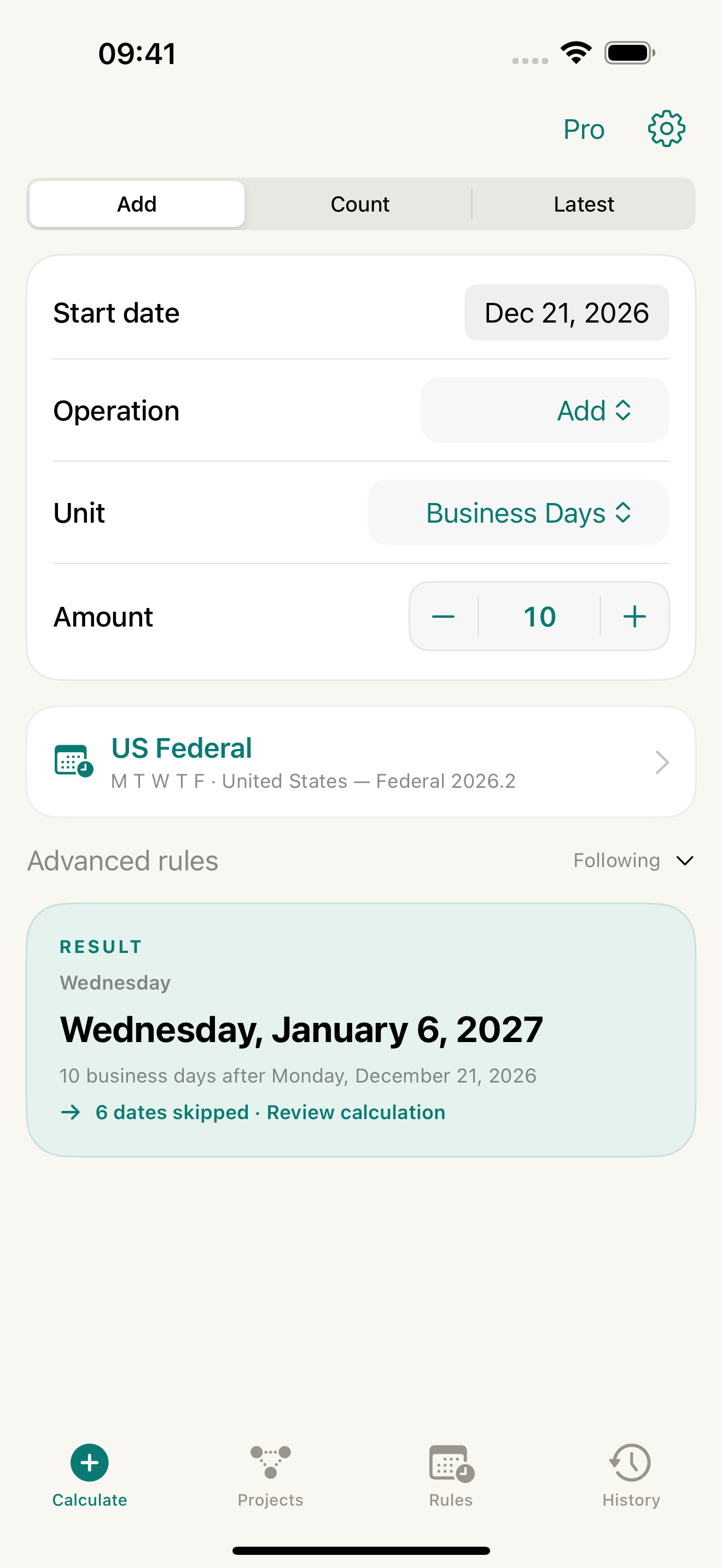
Choose the dates and rules. DayProof takes care of the counting.
Find a date 10 business days ahead, 30 calendar days back, or a true calendar month from your starting point.
Count working days or calendar days. Choose whether to include the start and end dates.
Work backwards from a target date to see when you need to begin.
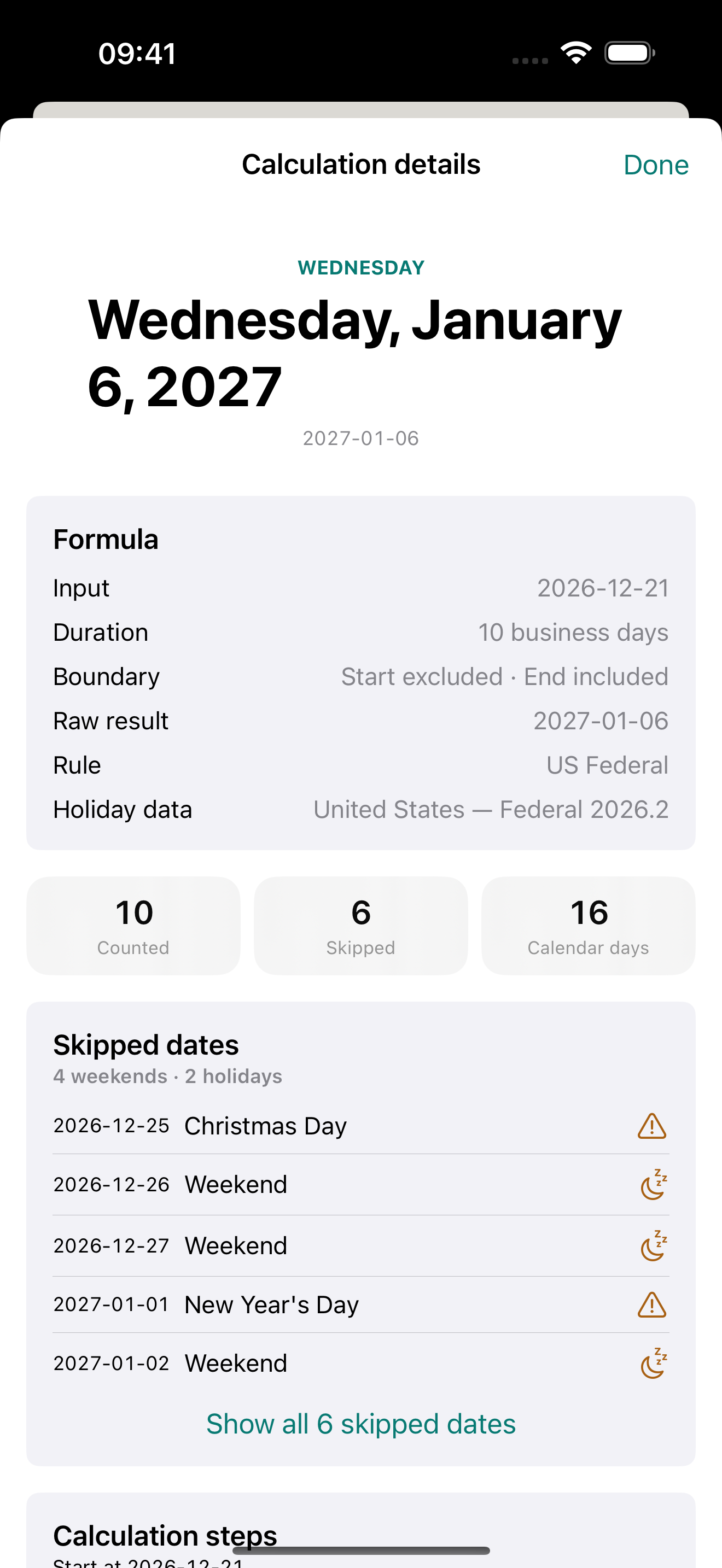
Open any result to see the calculation rules, included boundaries, and every weekend or holiday that was skipped.
Add other regional holidays as custom dates. DayProof warns when a date is outside a calendar’s verified coverage.
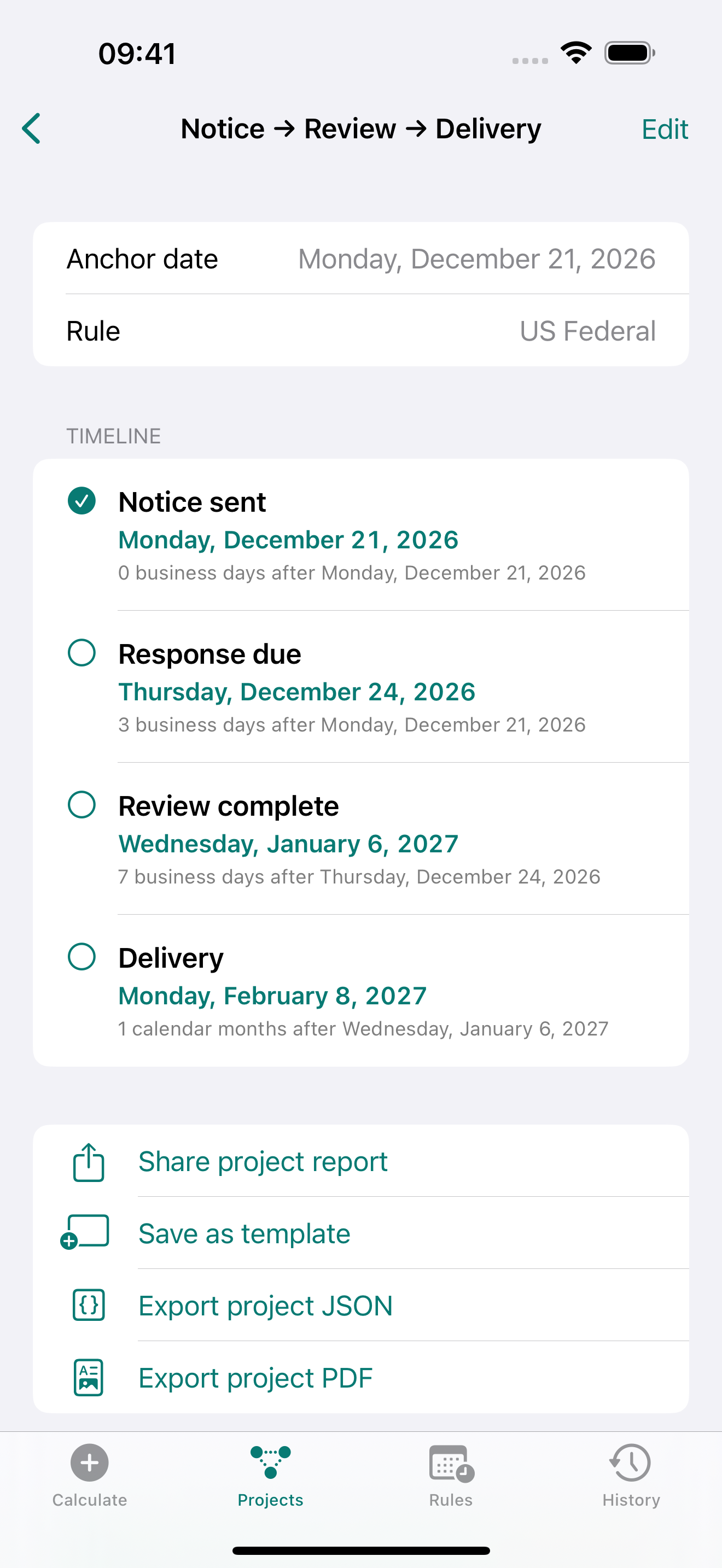
Build projects such as Notice → Response → Delivery. Change the starting date and the milestones recalculate together.
Basic date calculations are free with no usage limit. No subscription, no ads, and no account to create.
Download on the App StoreTry advanced workflows with included free uses. One optional lifetime purchase removes the limits on custom rules, projects, templates, PDF exports, Calendar syncs, and favourites.
Your local price is shown in the app before purchase.
Basic date calculations have no usage limit. Advanced features include 3 custom rule-profile creations, 3 project creations, 1 saved template, 3 PDF exports, 3 Calendar syncs, and 3 actions to add favourites. These are included allowances, not daily limits.
Yes. Core calculations and your saved data work on your device. Loading purchase information, buying Pro, and restoring a purchase require a connection.
The bundled calendars cover US Federal, Canada Federal, England & Wales bank holidays, and Australia National holidays. They do not include every regional holiday. You can add your own dates and choose which weekdays are working days.
No. DayProof Pro is an optional one-time lifetime purchase. Basic date calculations stay free without a usage limit.
Calculations, projects, rules, and notes stay on your device. Apple and RevenueCat handle the purchase information needed to unlock and restore Pro. You control PDF and backup sharing.